ValexisPolaris - Implementing Thruster Configuration
The first task I have chosen to take on, is implemeting the rocket control system for the rockets. Now, while I could have gone with a static setup, where the thrusters are configured by the designer (me), I would like for the game to have the potential to be a bit like Kerbal Space Program, where users are able to build their own custom rockets.
To help myself understand what I need to implement I designed this diagram to visualize how thruster placement realtive to the Centre of mass(COM) impacts the attitude control.
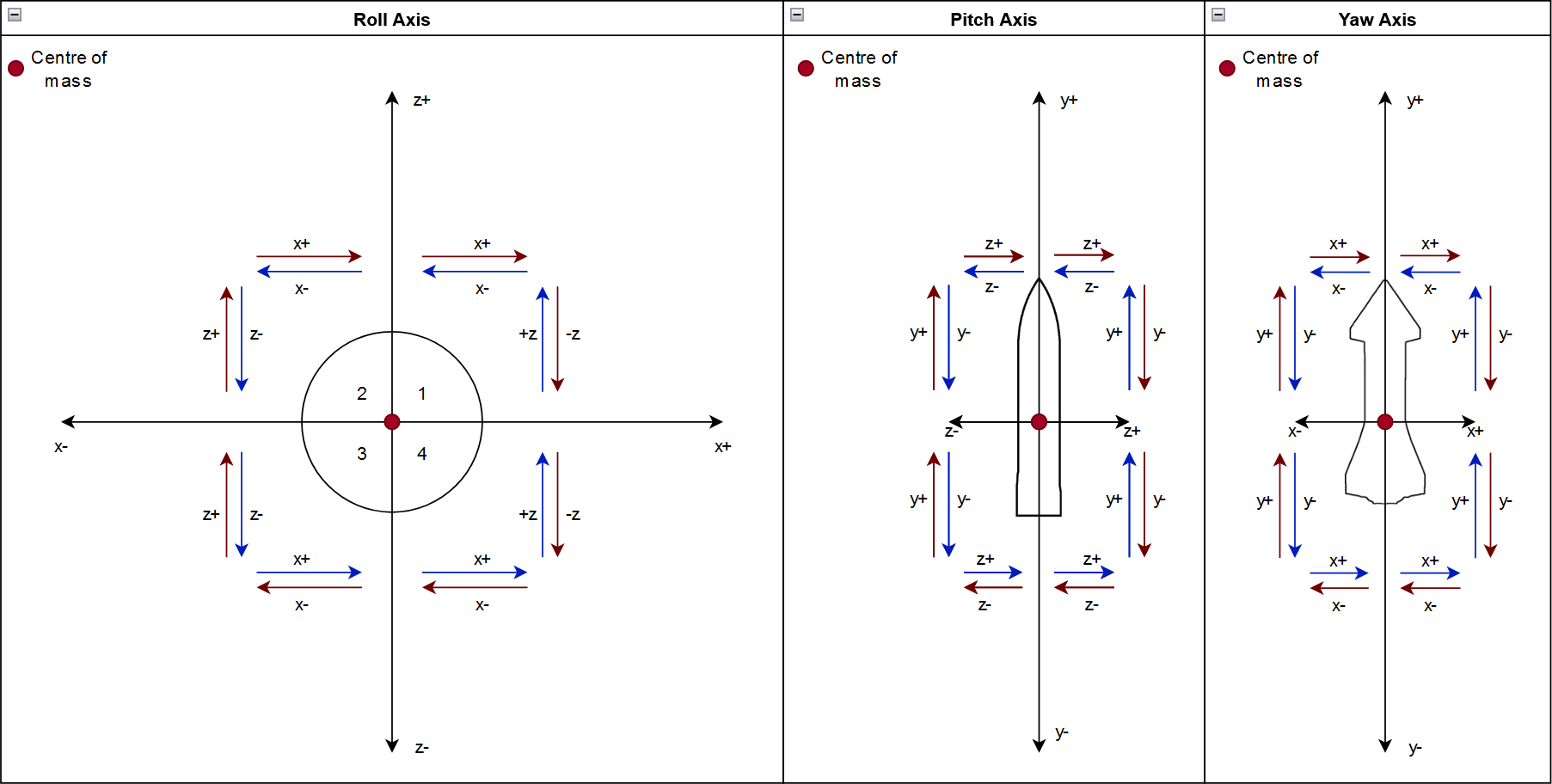
Now, before assigning the thruster as positive or negative for an axis, I need to check if it even provides force on the given principal axis. For this, I figured I could use the formula for calculating tourqe, as I have a point on which some force is applied. To do this, we need the forward thrust vector, and the lever arm.
Getting the forward thrust vector
Unity has built in support for getting the forward vector of an object in world space using transform.forward, however I need to rotate it by the rotation of the parent transform, as I am interrested in the forward thrust in relation to the body of the rocket. This is quite simple to do, as Unity provides us with transform.InverseTransformDirection, which transforms a direction from world space into local space(ie. the parents reference).
this.thrustDir = outerParent.InverseTransformDirection(t.forward);
Getting the lever arm (thruster offset from COM)
The second component I need to get the torque, is the offset from the centre of mass on which the thruster applies it force. I can get this simply by subtracting the COM transform from the thruster transform.
this.leverArm = com.InverseTransformPoint(t.position) - com.InverseTransformPoint(com.position);
Using these, I can calculate the torque which the thruster would apply to the rocket, and from this we can decide if the thruster qualifies for the given axis.
var F = new Vector2(thrustVector.x, thrustVector.y);
var r = new Vector2(pos.x, pos.y);
//using Vector2.Angle() we get the angle between the lever arm and force vector.
//using theta in place of θ for practicality
var theta = Vector2.Angle(r, F);
//we convert the angle to radians, as Mathf.Sin() takes radians and our angle is in degrees.
var sinTheta = Mathf.Sin(theta * Mathf.Deg2Rad);
var sinThetaRounded = Mathf.Round(sinTheta * 1000.0f) / 1000.0f;
//formula for calculating torque = τ = F * r * sin(θ) =
var torque = F.magnitude* r.magnitude * sinThetaRounded;
torque = Mathf.Round(torque * 1000.0f) / 1000.0f;
I put all of this code in its own seperate ThrusterUtils class, as I find it does not contain much game relevant code, as it is primarily focused on defining thrusts axes, not actually controlling the rocket itself.
The functionality of the ThrusterUtils class is then used by an AvionicsController, to assign thrusters to thruster groups, which will be used to convert user inputs into firing the correct thrusters.
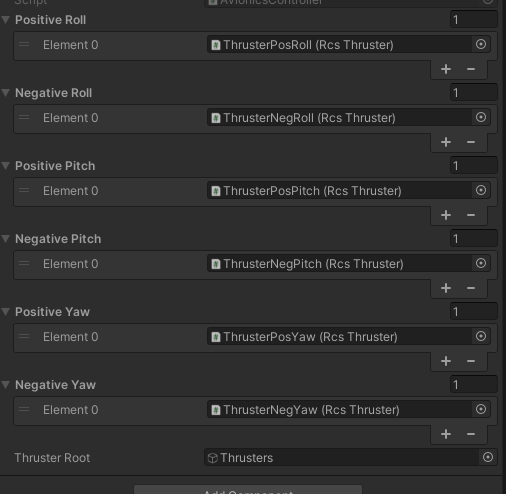
This way of grouping the thrusters might be changed in the future when I focus on implementing the full rocket controls, but for now this solution is sufficient for validating the thruster categorization.
Visualisation⌗
To check if im caluculating the correct values, I used the unity debug system to draw some nice visualizations of the vectors, both on the rocket, as well as in a grid style format.
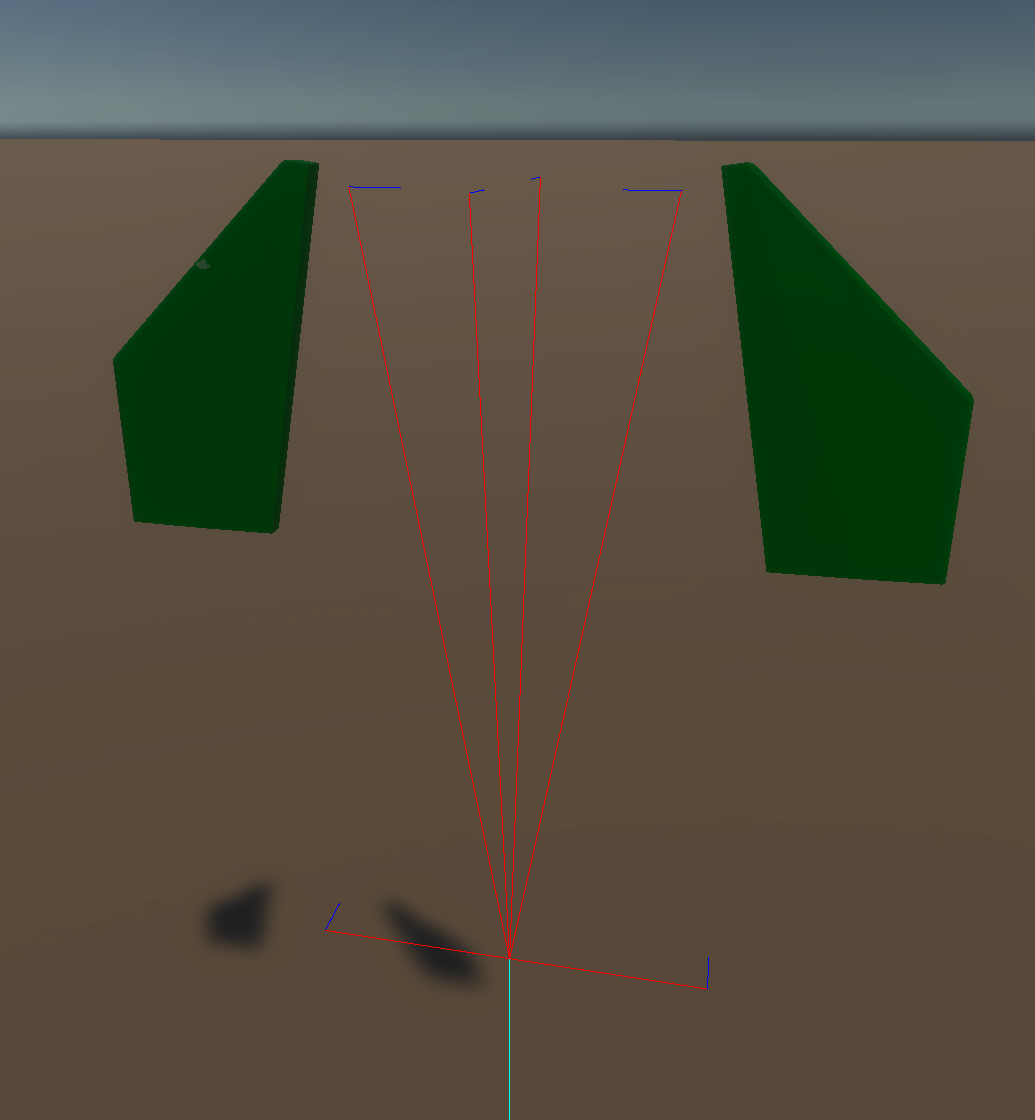
When we display this in a grid format, it is pretty clear which thrusters act upon which axes:
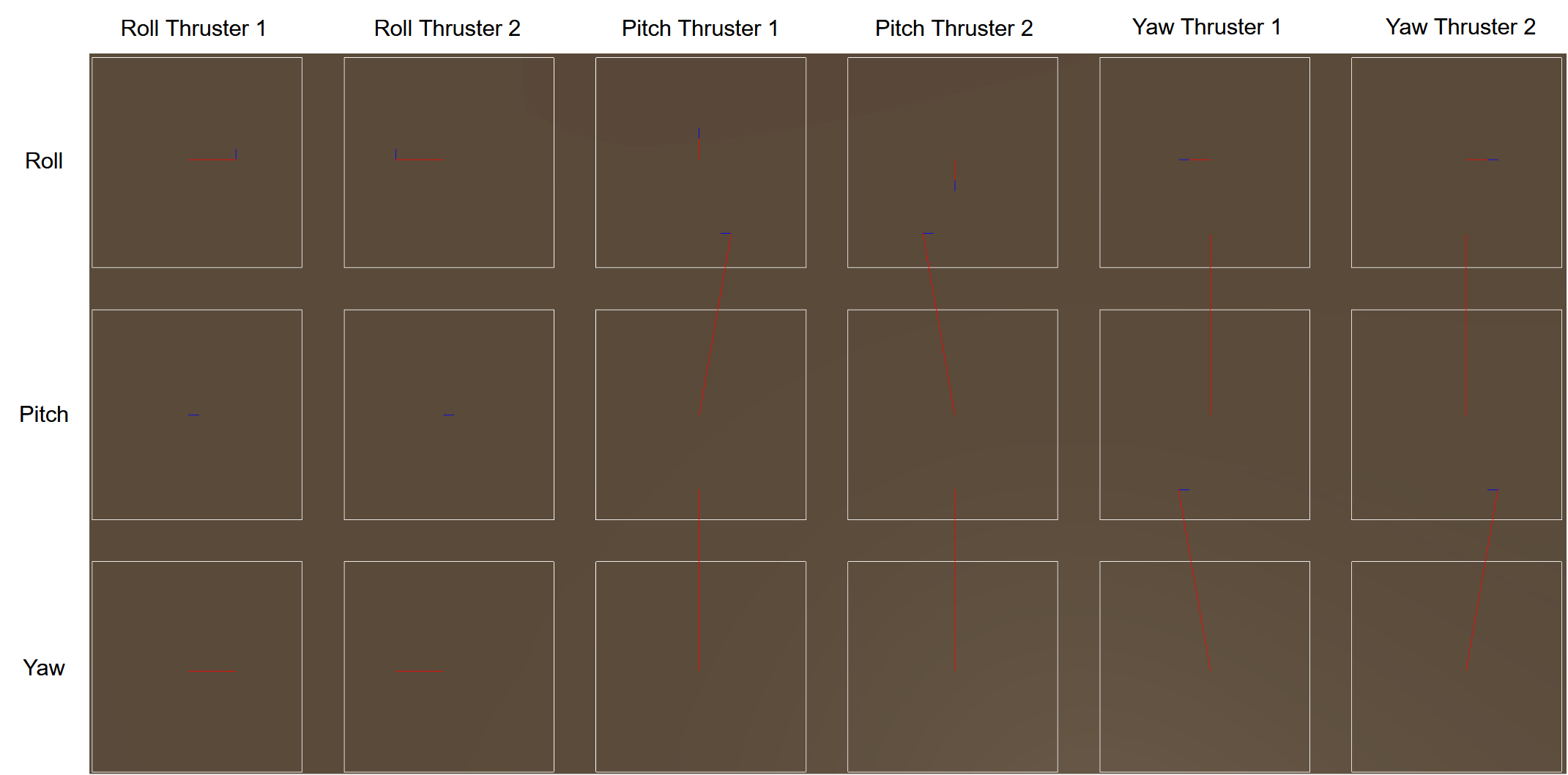
Implementing this functionality turned out to be an interresting challenge, and also forced me to brush up some of my physics and maths knowledge.
Stay tuned for the next post, where I will be implementing a basic rocket building system, which should include both code and some 3d modelling.